Spritix
  • Features
  • Pricing
    • Prepare a Character for Single or Eight-Direction AnimationPrepare a Character for Single or Eight-Direction Animation
    • Import a Spritix Sprite Sheet into GodotImport a Spritix Sprite Sheet into Godot
    • Refine Animation Loops Without Starting OverRefine Animation Loops Without Starting Over
    • How to Create and Export Character Animations in SpritixHow to Create and Export Character Animations in Spritix
    • Luna Animation Case Study: One Character, Five ActionsLuna Animation Case Study: One Character, Five Actions
    • Spritix Export Formats: Sprite Sheet, GIF, Atlas JSON, and PNG FramesSpritix Export Formats: Sprite Sheet, GIF, Atlas JSON, and PNG Frames
    • More Posts
    • About
      Learn more about our company, mission, and values
    • Contact
      Get in touch with our team for support or inquiries
    • Cookie Policy
      How we use the cookies on our website
    • Privacy Policy
      How we protect and handle your data
    • Terms of Service
      The legal agreement between you and our company
Log inSign up
X (Twitter)
Spritix
  1. Compare tools
  2. /
  3. Sprite AI alternative

A Sprite AI alternative for character animation

Build preset and Custom Actions in Spritix. Compare its clip editing with Sprite AI’s browser pixel editor and Aseprite plugin.

Try your character
ComparisonWorkflowAction examplesFAQ

Sprite AI vs Spritix

Workflow comparison: Spritix and Sprite AI
FeatureSpritixSprite AI
Best fit38910Keep versions of each Action and adjust clip timing in the same workspace.Edit individual pixels in the browser, work through Aseprite, or automate via API or MCP.
Starting artwork267Upload character artwork or describe a character before preparing its reference.Generate pixel-art assets or upload a sprite to the Animator.
Action choices17Five preset Actions plus Custom descriptions.Presets including Hurt and Death, plus a Custom animation option.
Editing workflow38Timing, trim, start-frame controls, and saved action versions.A browser pixel editor for editing sprite pixels.
Animation exports49PNG sheet, GIF, Spritix Atlas JSON, and PNG frames ZIP.PNG sprite sheets, animated GIF, JSON atlas, and a ZIP of individual PNG frames.
Frame controls39Sample 4, 16, 25, 49, or 64 frames for export, subject to plan access.Its pricing page lists an Animator range of 4–16 frames.
Entry paid plan59Starter: $12/month with 500 credits.Creator: $8/month with 100 tokens.

Best fit

38910
Spritix
Keep versions of each Action and adjust clip timing in the same workspace.
Sprite AI
Edit individual pixels in the browser, work through Aseprite, or automate via API or MCP.

Starting artwork

267
Spritix
Upload character artwork or describe a character before preparing its reference.
Sprite AI
Generate pixel-art assets or upload a sprite to the Animator.

Action choices

17
Spritix
Five preset Actions plus Custom descriptions.
Sprite AI
Presets including Hurt and Death, plus a Custom animation option.

Editing workflow

38
Spritix
Timing, trim, start-frame controls, and saved action versions.
Sprite AI
A browser pixel editor for editing sprite pixels.

Animation exports

49
Spritix
PNG sheet, GIF, Spritix Atlas JSON, and PNG frames ZIP.
Sprite AI
PNG sprite sheets, animated GIF, JSON atlas, and a ZIP of individual PNG frames.

Frame controls

39
Spritix
Sample 4, 16, 25, 49, or 64 frames for export, subject to plan access.
Sprite AI
Its pricing page lists an Animator range of 4–16 frames.

Entry paid plan

59
Spritix
Starter: $12/month with 500 credits.
Sprite AI
Creator: $8/month with 100 tokens.

Each tool prices usage differently. Compare the cost of the same Action, including preparation, duration, quality, retries, and downloads.

View Spritix plans

How Spritix works

Character animation guide

Custom Action examples

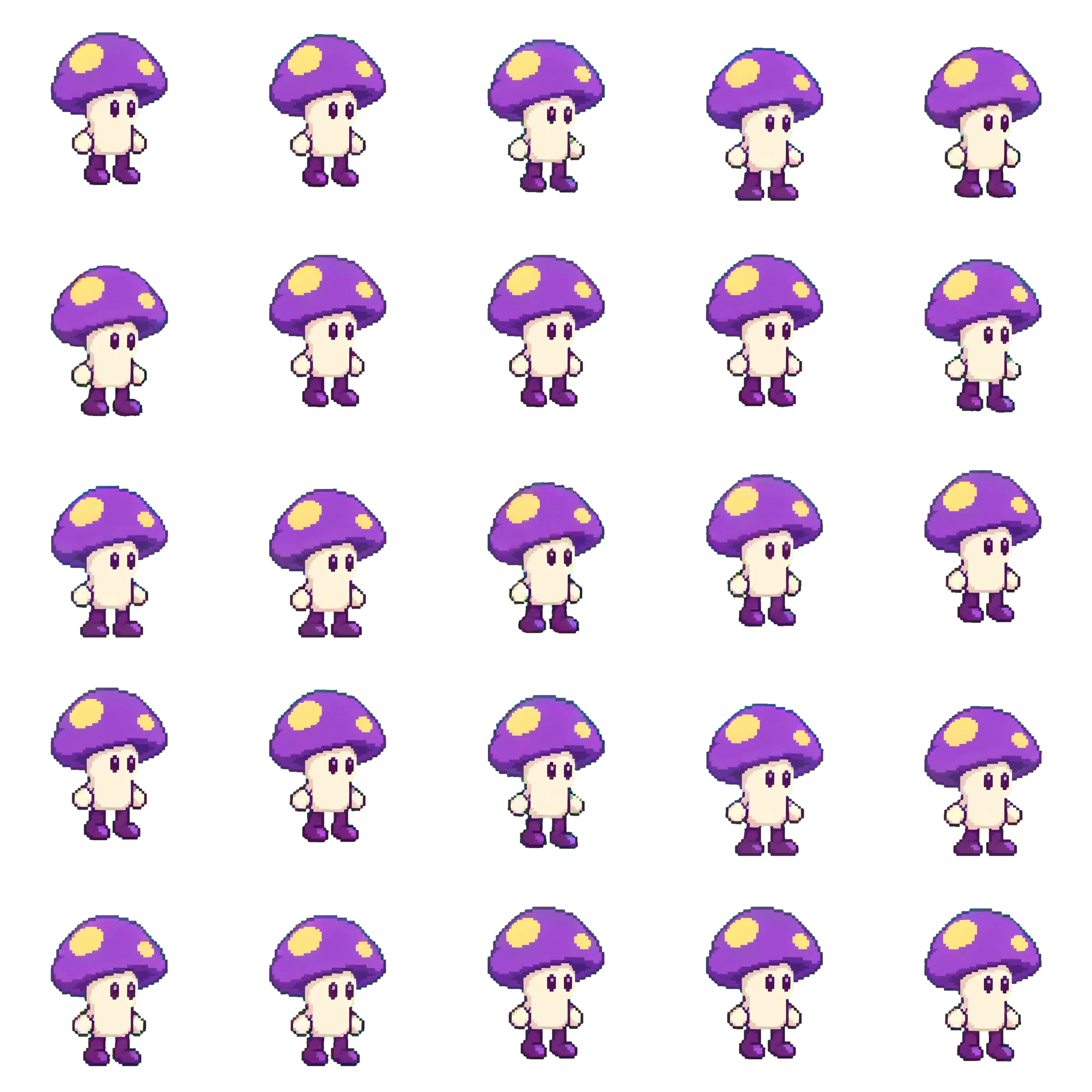
Cap Bounce

Cap Bounce sprite animation

Pip does a short rhythmic series of little hops in place. On each beat his knees bend, his mushroom cap squashes slightly, both boots briefly lift together, and he lands back in the same spot. Keep the hops small and vertical. Preserve his face, two yellow spots, plum boots, and crisp pixel-art palette. Finish in the exact grounded opening pose so the sequence can repeat.
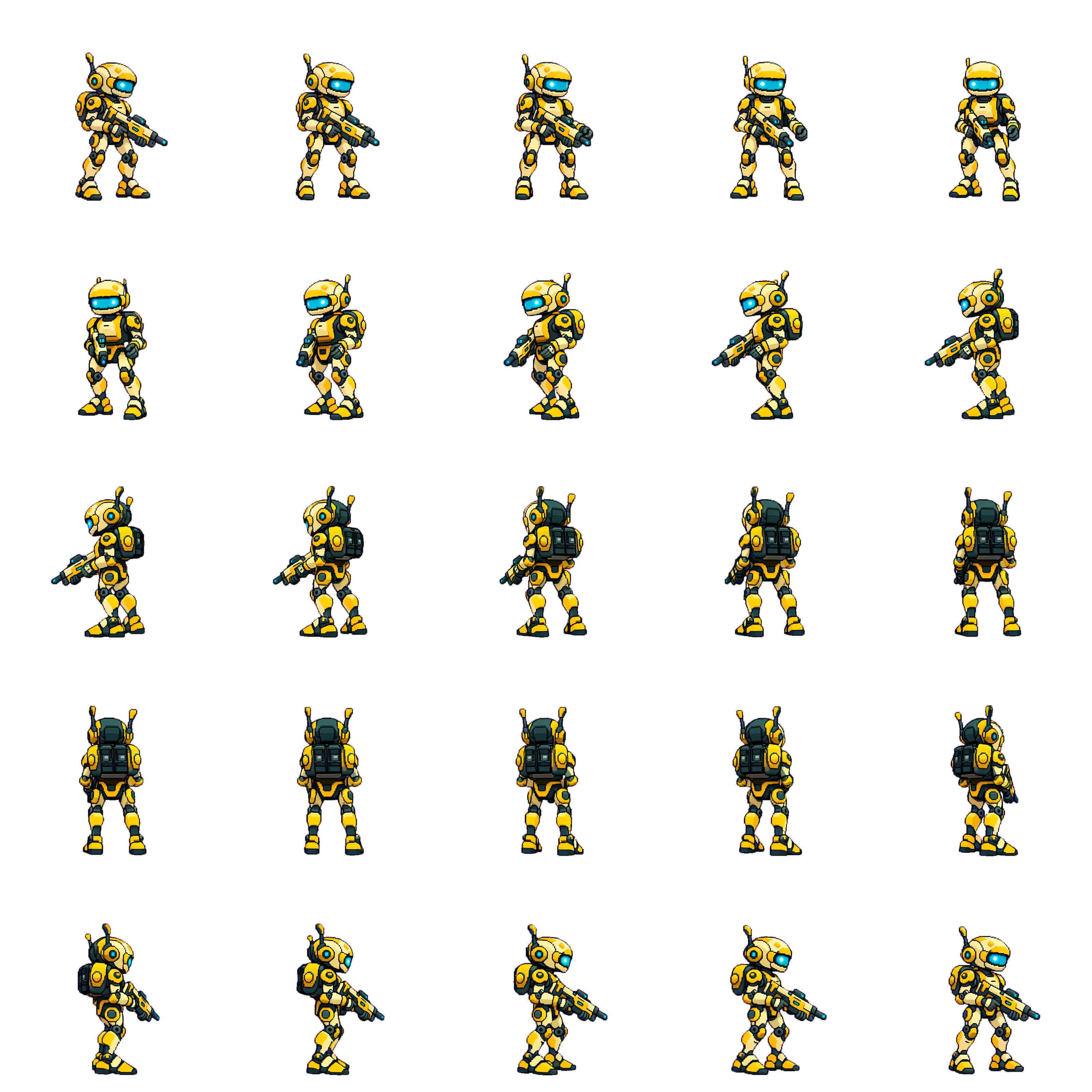
Spin Cycle

Spin Cycle sprite animation

Amber Scout makes exactly one complete 360-degree turn in place at an even pace. He starts facing screen right in three-quarter view, turns through front view, then screen left, then back view, and reaches the exact opening three-quarter right-facing view at the end. He pivots in short steps on the same spot. Keep his amber armor, cyan visor, silhouette, and equipment consistent. His equipment stays still relative to his torso.

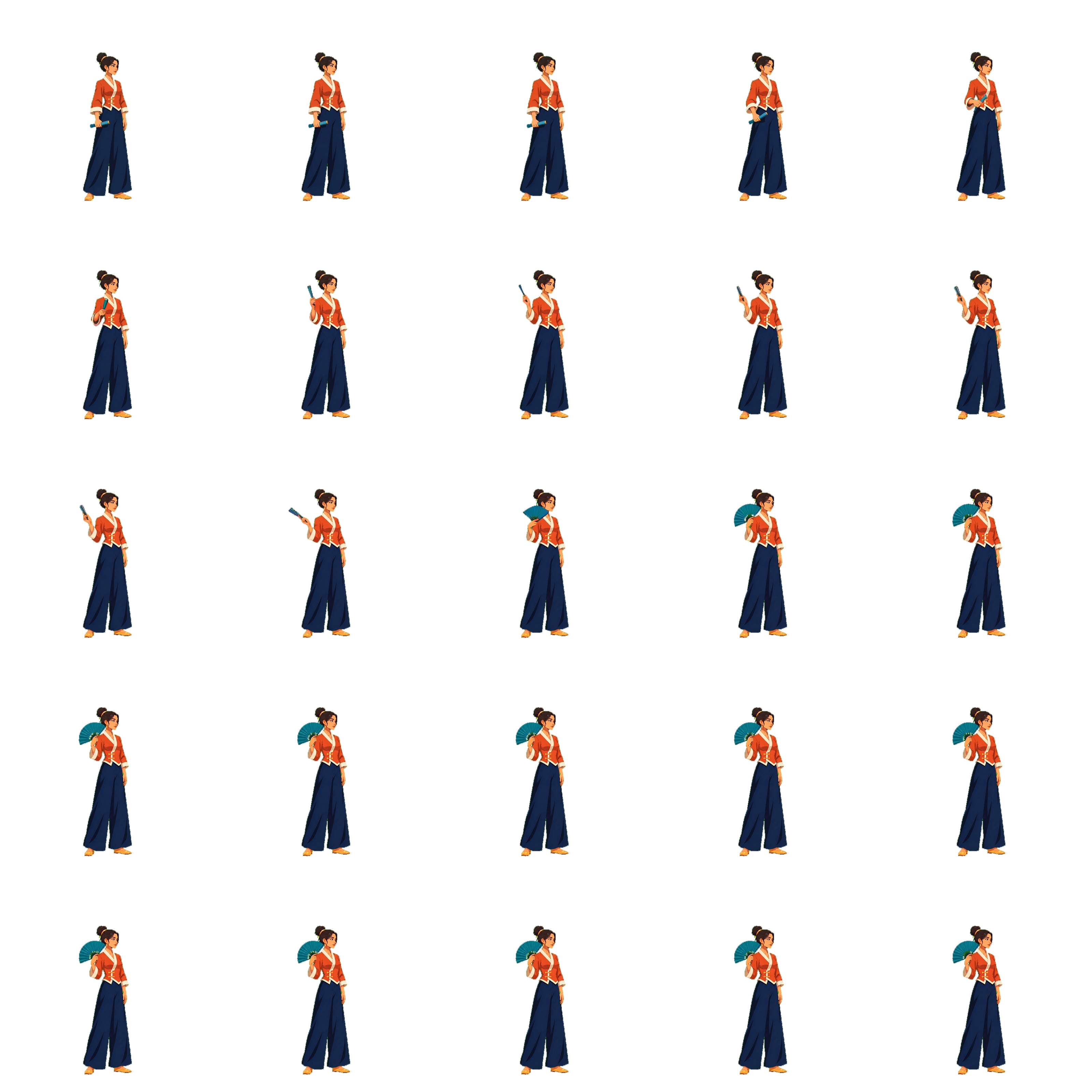
Fan Reveal

Fan Reveal sprite animation

Vela lifts the closed teal folding fan in her right hand from her hip to shoulder height. With a crisp wrist flick, she opens the fan into a wide semicircle. She holds the open fan beside her face for the final beat. Her left arm remains relaxed at her side and both feet stay fixed in place. Her body maintains its original facing throughout the movement.

Questions before you switch

Can I use existing character artwork?

Yes. Upload a full-body image and review the prepared reference before creating an Action. Preparation can change the pose and details.

Can I edit individual pixels after animation?

Export individual PNG frames from Spritix and open them in your pixel editor.

Does a larger frame count mean better animation?

More samples can change playback and texture size. In Spritix they come from the same clip, so they add no detail to the source animation.

Animate your own character

Open Spritix Studio

Sources

Checked November 19, 2026

Spritix

  1. 1Studio
  2. 2Character animation guide
  3. 3Loop and version controls
  4. 4Export formats
  5. 5Pricing

Sprite AI

Related guides

All comparisonsSprite sheet makerSprite export formats explained
Spritix

Turn one character image into consistent, game-ready animation assets with our AI sprite generator.

GitHubGitHubXX (Twitter)DiscordYouTubeYouTubeEmail
Product
  • Sprite Sheet Maker
  • Features
  • Pricing
  • FAQ
Resources
  • Blog
  • Character animation
  • Animation loops
  • Export formats
Alternatives
  • Compare tools
  • AutoSprite alternative
  • Sprite AI alternative
Company
  • About
  • Contact
  • Crunchbase
  • Reviews on G2
Legal
  • Cookie Policy
  • Privacy Policy
  • Refund Policy
  • Terms of Service
🇺🇸English🇧🇷Português (Brasil)🇰🇷한국어🇯🇵日本語🇫🇷Français🇩🇪Deutsch🇮🇹Italiano🇪🇸Español🇨🇳繁體中文🇨🇳简体中文
© 2026 Spritix All Rights Reserved.