AI Sprite Sheet Generator
Spritix is an AI sprite sheet generator that turns one full-body character image into Idle, Walk, Run, Jump, and Attack, then samples frames, repairs loops, and exports sprite sheets.
Compatible With Your 2D Toolchain
The AI sprite sheet generator exports standard PNG, GIF, JSON, and ZIP. Logos indicate format compatibility, not partnership or endorsement.
- Unity
- Godot
- GameMaker
- Phaser
- Cocos Creator
- Aseprite
- PixiJS
- Tiled








Product facts
One Character, Five Actions, Four Files
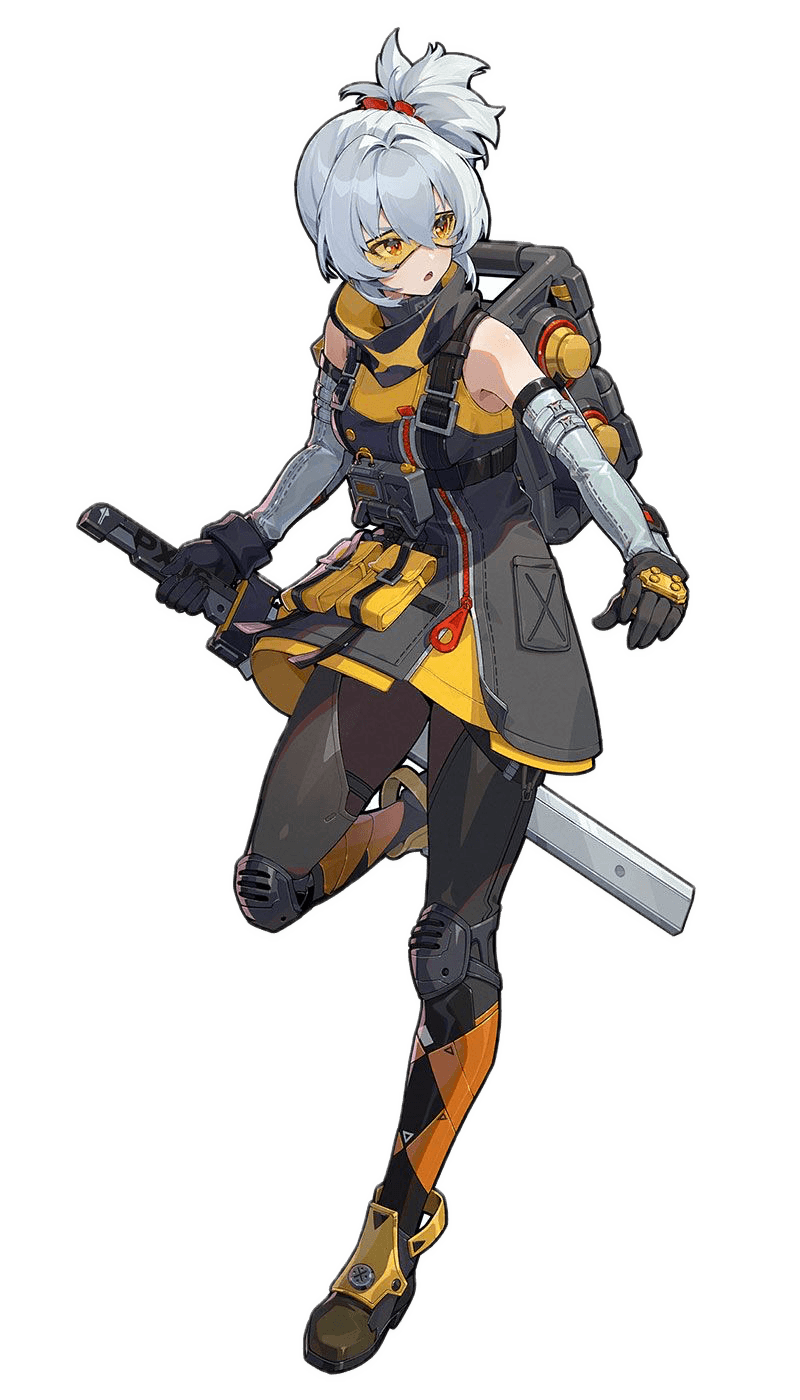
Prepare the character once in the AI sprite sheet generator, then add actions one at a time and export each result.
Character reference
One prepared image anchors the look of every action.
Action types
Idle, Walk, Run, Jump, and Attack, each generated separately.
Export formats
Sprite sheet, GIF, Atlas JSON, and individual PNG frames.
Real output
AI-Generated Sprites: Sheets and GIFs
Every example below is a stored generation from the AI sprite sheet generator, shown as the exported sheet next to its loop.
Deliverables
Export Sprite Sheets, GIFs, and Frames
The frame range, speed, and size you apply in the AI sprite sheet generator define every download, so the preview matches the delivery.
Sprite Sheet PNG
Imports directly into Godot, Unity, and Phaser, sliced by rows and columns.
Animated GIF
A preview to check timing or share for approval.
Atlas JSON
Frame coordinates and timing for code-driven playback.
Frames ZIP
Individual PNGs, ready for cleanup in your pixel editor.
Workflow
How the AI Sprite Sheet Generator Works
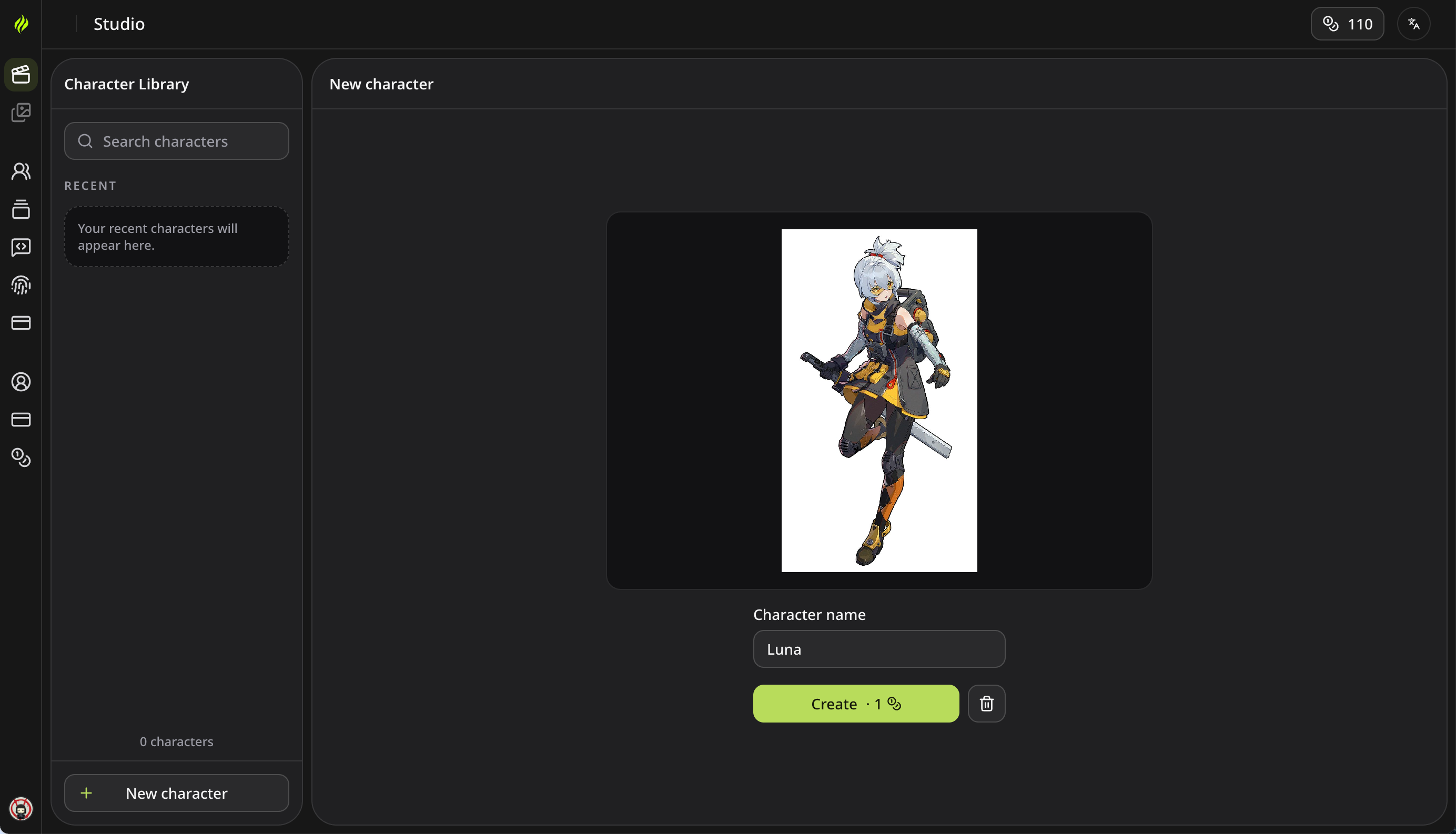
Four visible steps from upload to download. Credit costs appear before you submit, and failed generations refund automatically.
From Character Image to Sprite Sheet
Loop editing
Refine Sprite Animation Loops Without Regenerating
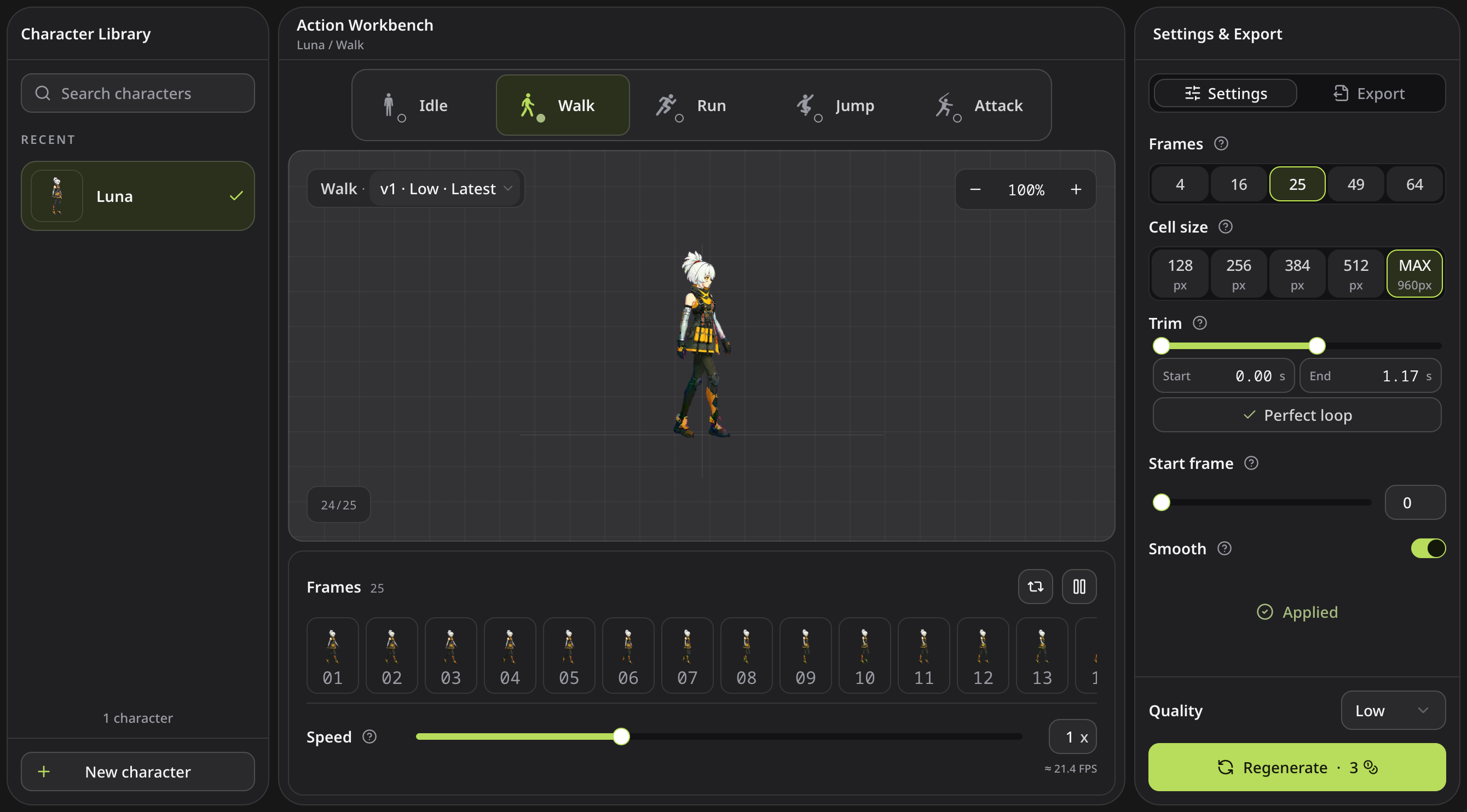
Loop edits in the AI sprite sheet generator run in your browser and never spend credits. Apply, and only affected files rebuild.
Sprite Animation Loop Controls
- Trim rough frames with two handles at either end.
- Run Perfect Loop to find the cleanest seam automatically.
- Rotate the start frame and toggle scaling smoothness.
- Set speed from 0.5x to 2x, then pick frame count and frame size.
Iteration
Built for Retakes and Version Control
The AI sprite sheet generator keeps characters, actions, versions, and export settings organized, so a retry never destroys a usable result.
Stable character identity
Every action starts from the same prepared reference to limit drift.
Immutable version history
Each usable attempt saves as v1 to vN, and switching back is free.
Costs shown up front
The credit price appears before you submit, and terminal failures refund automatically.
Credit-free post-processing
Trim, retime, and rebuild without generation credits; Free unlocks downloads for two generations monthly.
Per-action export settings
Frame count, frame size, and trim persist for each generation.
Files you own
Standard PNG, GIF, JSON, and ZIP files need no proprietary runtime.
Export pipeline
Sprite Sheets for Godot, Unity, and Phaser
Rebuild all four files from the same applied settings. Sprite sheets import directly into Godot, Unity, and Phaser, with no Spritix runtime.
Creator reviews
What Creators Say About Our AI Sprite Sheet Generator
Getting a character moving is one thing. Bringing it into a game is another. Here’s what developers had to say about both.
I've tried a few AI sprite sheet generator tools and this is the first one where the character still looked like my character by the Run cycle.

Marcus Bell
Indie developer
I mostly use the frames ZIP. It gives me a clean base, and then I do my own cleanup in Aseprite. It saves me the boring first pass.

Lena Hoffmann
Pixel artist
Dropped the PNG into Godot, set rows and columns, done. No plugin, no weird runtime. Honestly that's all I wanted.

Diego Ramírez
Godot hobbyist
Perfect Loop fixed the little hitch in my walk cycle that I'd been staring at for an hour. And it didn't cost any credits, which was a nice surprise.

Priya Nair
Solo mobile dev
The atlas JSON is the part I care about. Frame coords and timing are right there, so playback in code just works.

Tom Whitaker
Phaser developer
I can't draw animation to save my life. Being able to prototype with an AI sprite sheet generator means my pitch builds don't look like grey boxes anymore.

Sofia Lindqvist
Narrative game designer
The free credits were enough to test one character and one action for my class project. I liked seeing the cost before hitting generate.

Alex Moreau
Student developer
Being able to trim the rough frames at the start and end, then change the speed, covers 90% of what I used to fix by hand.

Ravi Chandran
Cocos Creator developer
I went in expecting another AI sprite sheet generator that melts the character by frame six. It held up way better than I thought, especially on Idle and Walk.

Emily Carter
Hobby game maker
Credit model
Pay for Generation. Edit for Free.
Credits cover character preparation and new actions. Editing uses no generation credits; feature access and downloads follow your plan limits. Failed generation returns the credits automatically.
- 20 credits / month
- Credits valid for 30 days
- Standard Exports
- 2 Mirror / month
- 2 Smooth / month
- 2 Perfect Loop / month
- 2 Downloads / month
Starter Plan
For occasional projects
- 500 credits / month
- $0.024 per credit
- Credits valid for 30 days
- Advanced Exports
- Unlimited Mirror
- Unlimited Smooth
- Unlimited Perfect Loop
- Unlimited Downloads
- Automatic Perfect Loop
Pro Plan
For regular production
- 1,500 credits / month
- $0.019 per credit
- Credits valid for 60 days
- Advanced Exports
- Unlimited Mirror
- Unlimited Smooth
- Unlimited Perfect Loop
- Unlimited Downloads
- Automatic Perfect Loop
- All Credit Packs
Max Plan
For high-volume teams
- 4,500 credits / month
- $0.015 per credit
- Credits valid for 60 days
- Advanced Exports
- Unlimited Mirror
- Unlimited Smooth
- Unlimited Perfect Loop
- Unlimited Downloads
- Automatic Perfect Loop
- All Credit Packs


Need help?

Common questions
Answers Before You Start
How source images, credits, loop edits, and files from the AI sprite sheet generator actually work.
Get started
Start With One Action
Bring one character image to the AI sprite sheet generator; 20 free credits each month cover your first prepared character and action.